

Quick start
Install and onboard in minutes
What gets installed
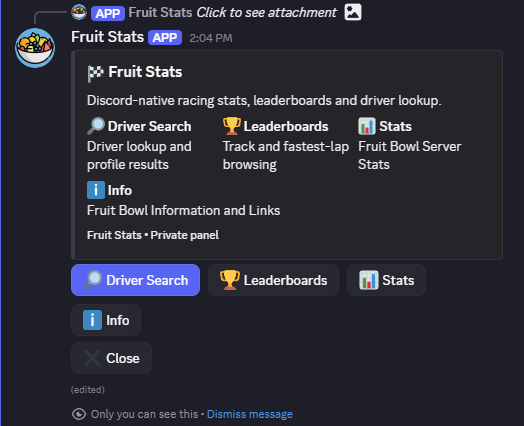
Fruit Stats installs a persistent shared status monitor for the server, while everything else stays private and ephemeral for the user who clicked the command or button.
- /status install — installs the live status monitor into the current channel
- /status repost — reposts the persistent status card into the configured channel
- /status remove — removes the persistent status workflow from that server
- /statshub — opens the private Fruit Stats panel
Slash commands may take up to 1 hour to appear after installing the bot in a new server.
Persistent status
Live server monitor for your whole guild
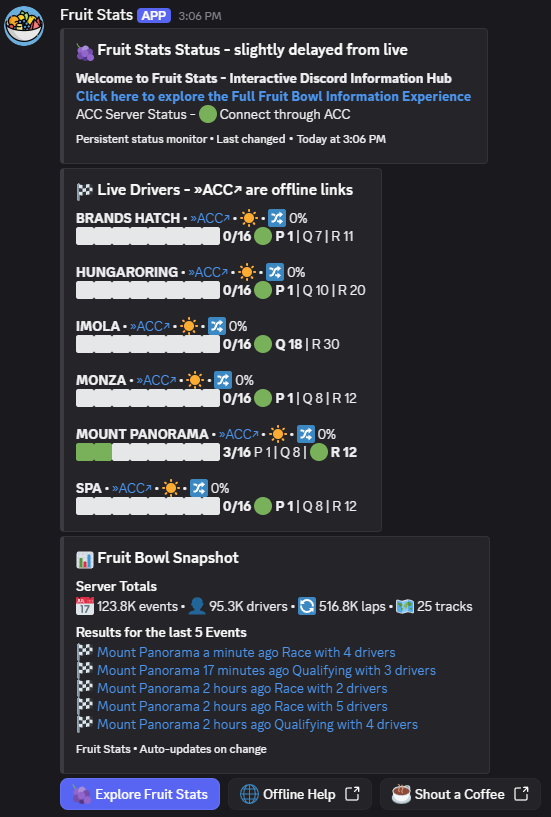
The status post is the only persistent part of the bot. It combines ACC server status, live driver occupancy, recent results and server totals in one shared channel card.
- Auto-updates after each completed refresh cycle
- Includes Offline Help when ACC lobby services are down
- Explore Fruit Stats opens the private panel for the user
- Offline ACC links appear in Live Drivers when available
Recommended setup: use a dedicated info, status or monitoring channel. User posts in that installed channel are auto-removed and the status post self-heals if deleted.
Private hub
What users can do without leaving Discord
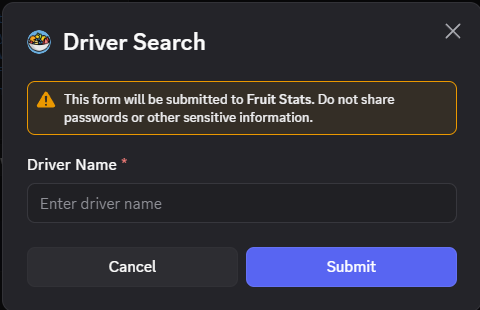
Simple modal input for profile lookup.
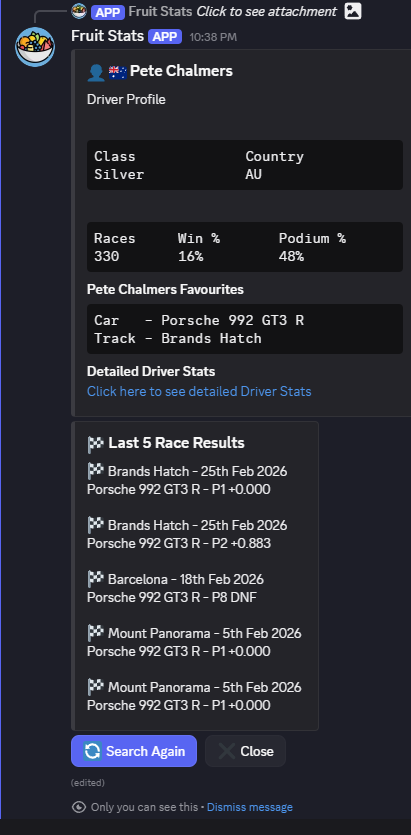
Class, country, race stats, favourites and recent results.
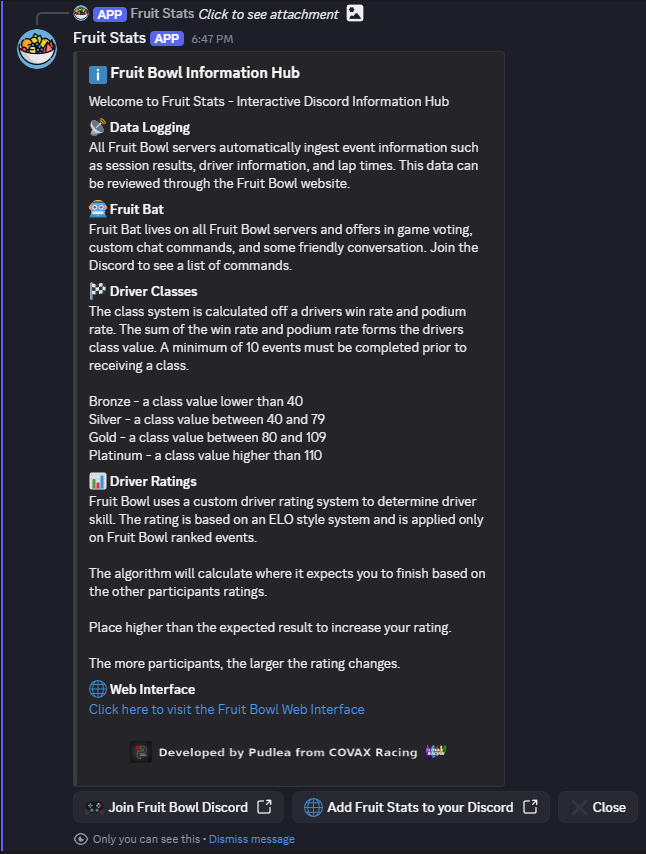
Fruit Bowl reference hub with website and Discord links.
Animated loading states while scrapes run.
Leaderboards
Two browsing modes with track filters
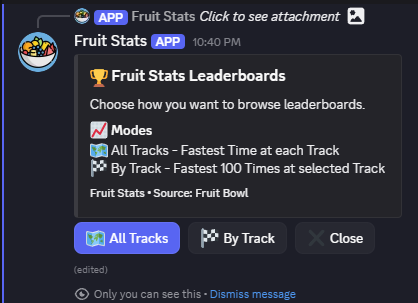
All Tracks or By Track.
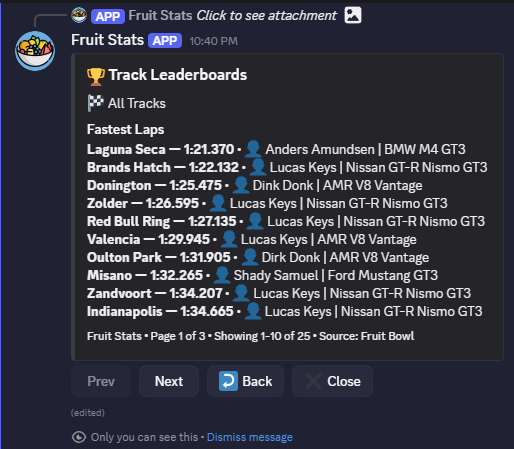
Fastest lap at each track.
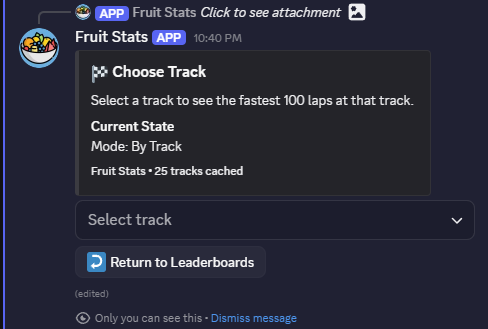
Select a circuit and browse the fastest 100 laps.
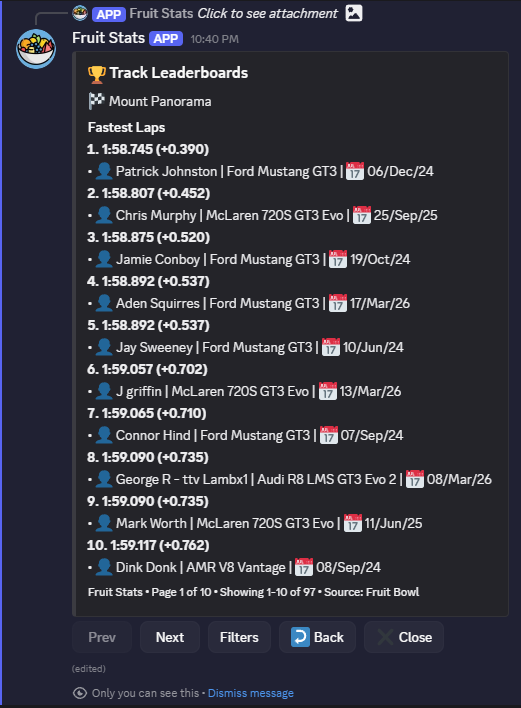
Track-specific leaderboard with page navigation.
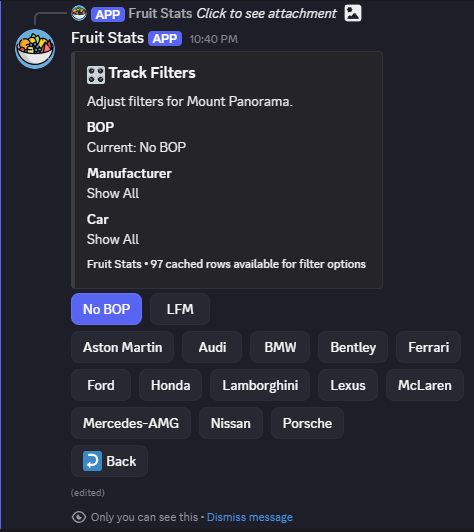
BOP, manufacturer and car narrowing using cached rows.
Server stats
Community health, activity and personality
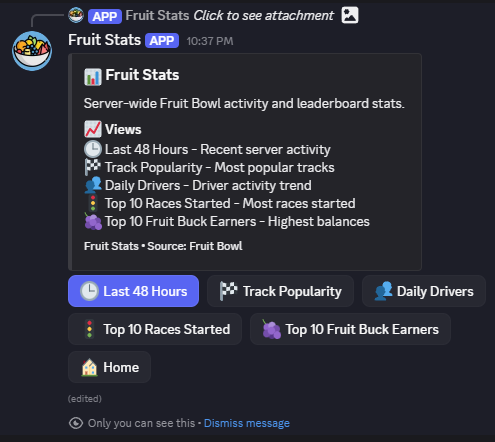
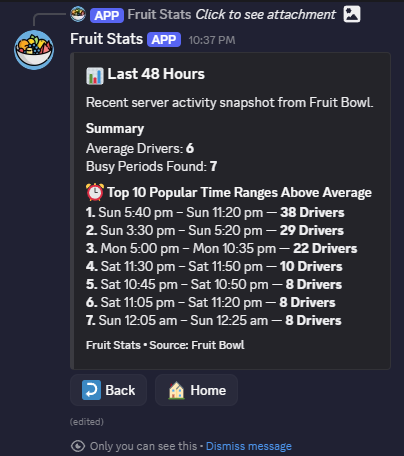
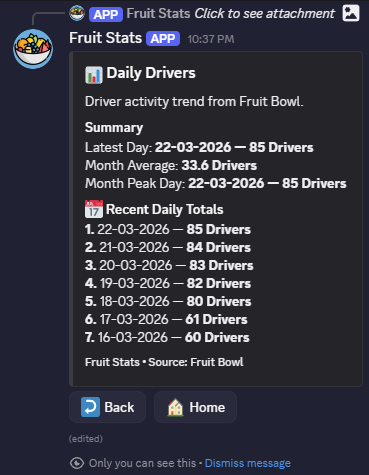
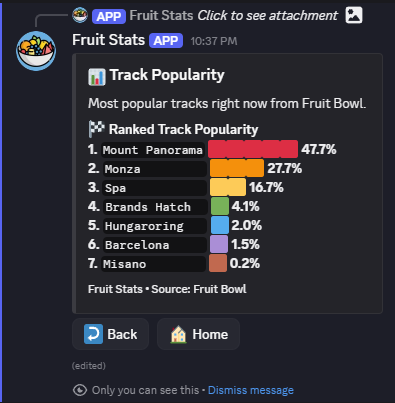
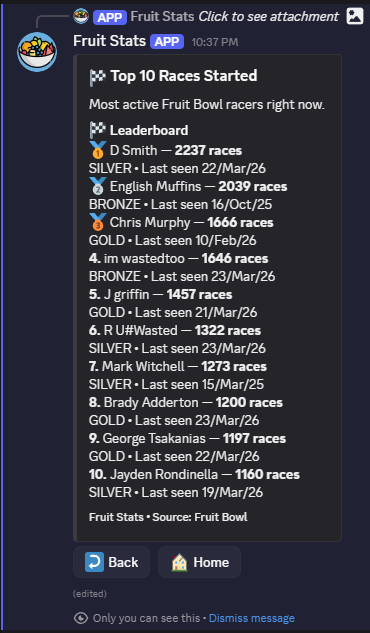
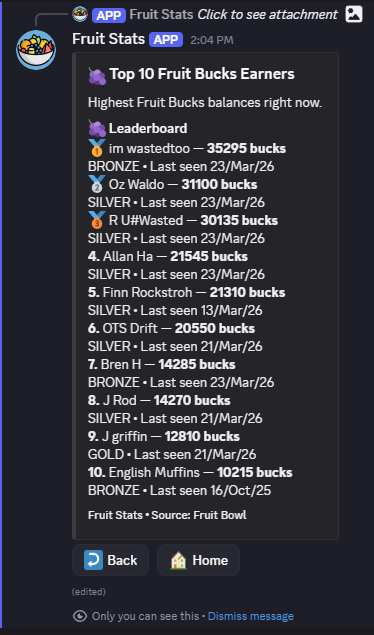
Recurring leaderboard-style content that keeps members engaged.
Permissions and best practice
Recommended setup checklist
Recommended permissions
- View Channels
- Send Messages
- Embed Links
- Read Message History
- Manage Messages
- Use Slash Commands
Admin checklist
- Install the bot with the invite link and approve permissions
- Choose a dedicated status or info channel
- Run
/status installin that channel - Try
/statshubyourself before announcing the bot to members - Point members to Info for classes, ratings, Fruit Bat and website details
- Use stats panels as recurring community content